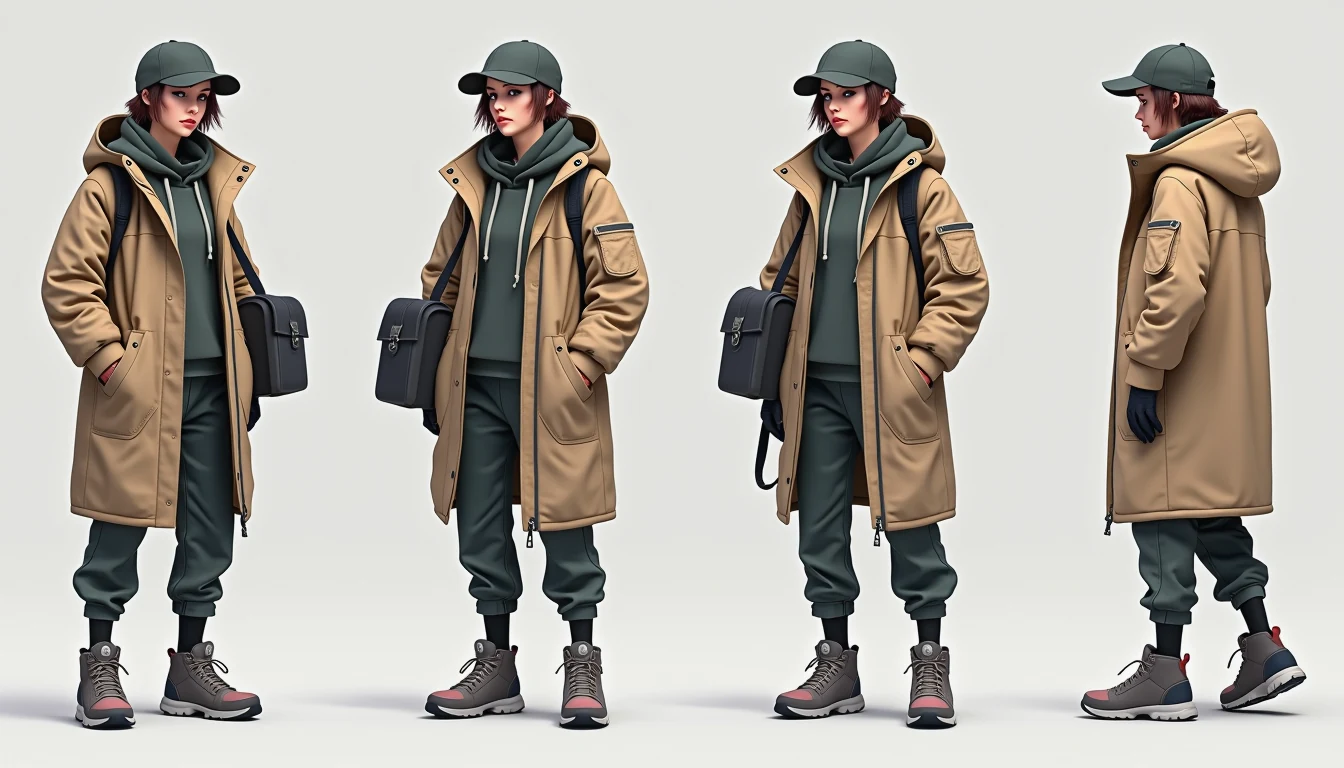
The gallery already has a working character sheet. You don't need a new subject to learn the workflow. Open the character design turnaround sheet, look at the cyber courier, then run the same prompt in the create workspace. Image 3 AI is an independent tool, not affiliated with OpenAI or GPT Image. This guide walks that template — what the sheet is for, which settings match it, and how to swap the courier for your own character without losing the layout.
That image is the template's showcase, not a one-off blog render. Same file lives on the template page. If a later generate of yours looks weaker, compare it to this sheet, not to a paragraph of adjectives.
What this sheet is for
Anyone who briefs a recurring character knows the cost isn't drawing them once — it's drawing them the same way twice. The commission artist asks what the back of the costume looks like. The animator needs a side view that doesn't exist. Without a turnaround, every collaborator invents their own version.
This template is a reference, not a production bible. It's good for briefing, checking whether a costume holds from more than one angle, and testing a swap before you commit. It will not replace a hand-finished series sheet. Most indie projects live in the gap between "no sheet" and "a sheet that's close enough to build from."
The courier is the placeholder: worn weather-resistant tactical parka, high-top combat sneakers, messenger drone bag. The structure that matters is the clean full-body row — front, side profile, 3/4 — on a neutral grey field, same character, same costume. Costume-detail sketches and palette swatches are in the prompt; don't expect tiny readable labels on the pixels. Asking the model to stamp captions usually produces gibberish. Write callouts in the prompt and in your brief.
Open the template, then Remix into Create
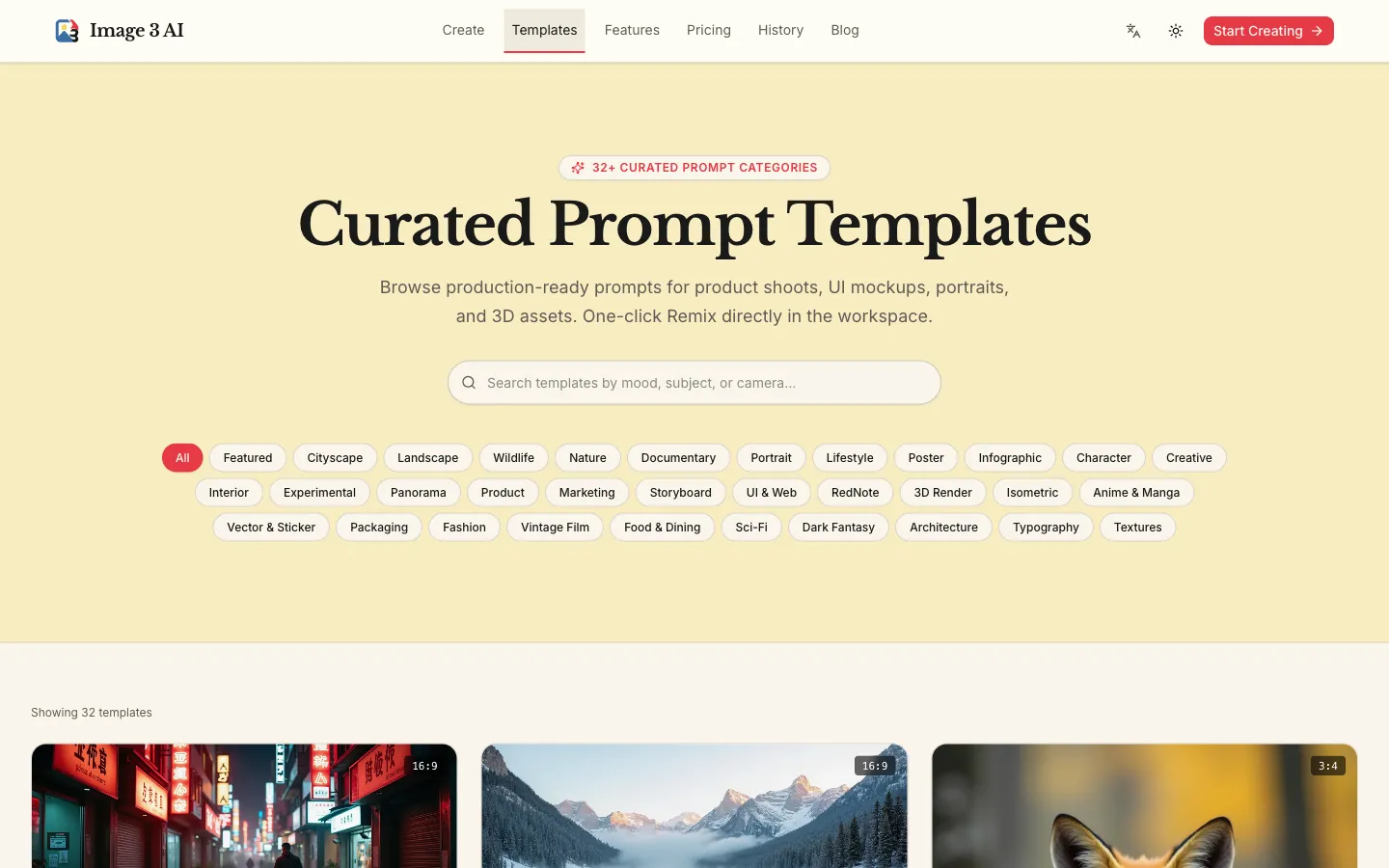
Go to the prompts gallery or jump the template URL above. On that page you get the showcase image, the full prompt, the negative prompt, and two actions the UI actually has: Copy Prompt and Use This Template (Remix). Remix writes the prompt, negative prompt, 16:9, and Flux Studio into /create. You are not pasting into a blank box unless you want to.
If you prefer to set the panel yourself: Model Flux Studio (6 credits) — the gallery assets were produced on an owner-only Flux Dev pass; the public workspace maps that recommendation to Studio. Aspect 16:9 (1K = 1344 × 768). Output PNG (Lossless). Resolution 1K — 2K and 4K are locked "Coming soon." Flux Fast (2 credits) can draft, but it won't hold faces and costume construction across views as well.
| Setting | Value |
|---|---|
| Model | Flux Studio (6 credits) |
| Aspect ratio | 16:9 (1344 × 768 at 1K) |
| Output format | PNG (Lossless) |
| Resolution | 1K |
| Negative prompt | blurry, extra limbs, incomplete body, inconsistent face, cluttered background |

The prompt the template actually uses
This is the gallery string. Run it once as-is so you know what "success" looks like next to the showcase.
Professional animation character design model sheet of a female cyberpunk
delivery courier in worn weather-resistant tactical parka, high-top combat
sneakers, and messenger drone bag. Clean full body turnaround featuring
front view, side profile view, and 3/4 pose on a clean neutral grey
backdrop, costume detail sketches, color palette swatches, clean ink and
digital render style.
Negative prompt: the row in the table. One generate should land a sheet in the same family as the gallery image: a grey field, a full-body row, one courier.
Swap the character, keep the sheet
Don't rebuild the prompt from zero. Keep the layout clauses — "clean full body turnaround", named views, "clean neutral grey backdrop", "same character, same costume" if you add that mantra — and replace only the identity block (the courier, the parka, the bag).
Example swap, structure untouched:
Professional animation character design model sheet of a male field botanist
in a waxed canvas vest, muddy boots, and a satchel of sample tins. Clean
full body turnaround featuring front view, side profile view, and 3/4 pose
on a clean neutral grey backdrop, costume detail sketches, color palette
swatches, clean ink and digital render style.
If one view drifts (a hood appears on the back, the bag teleports shoulders), don't re-roll the whole sheet. Use Remix / 再创作 on the good output: "same sheet, fix the back view to match the front — no hood, satchel strap visible." Check every view after the repair; fixes leak.
Flux Fast and Flux Studio do not take a reference image. If you already have a strong front view you want to lock, switch to Reference Edit (5 credits), attach that PNG/JPG/WebP (≤5 MB), and ask for the rest of the sheet. The compare slider (前后对比) only appears once a reference is attached.
FAQ
Why does the outfit change between views?
The default failure without a consistency line. Keep the named views and a grey field. Add "same character, same costume in every view" if drift continues. Put "inconsistent face" and "extra limbs" in the negative prompt — the template already does.
Should I ask for labeled arrows and an expression row on the image?
You can put those in the prompt. Readable type on a generated sheet is unreliable. The gallery courier is the quality bar: views and costume, not micro-captions. Put expressions and callouts in your brief, or generate a second sheet that is only faces.
Is 1K enough for a briefing sheet?
For collaborators who will crop a single view, yes. 2K and 4K are marked Coming soon and locked. Failed generates refund credits automatically.
Flux Studio or Flux Fast?
Studio at 6 credits for this template. Fast at 2 credits is a cheap layout check, not the sheet you send to an artist.
Run the courier, then put your character in the same frame
Open the character design turnaround sheet, hit Remix, generate once against the showcase, then swap the identity block. That's the whole loop.
Related: a dark-mode finance dashboard mockup from the gallery if the character lives in a product UI, and a holographic die-cut sticker from the gallery when the same mascot has to sit on merch.

 Natalie Brooks